SPF DKIM DMARC BIMI VMC MTA-STS TLS-RPT...
With constant phishing attemps, it becomes increasingly important to protect emails. There are mechanisms for this, both for inbound and outbound as well as authenticating more with BIMI against your customers.
In addition, email providers pushed very hard for DMARC (in 2024, Gmail and Yahoo enforced it), effectively forcing everyone to get interested in this topic!
Let’s embark with me on everything you need to know to implement this end to end.
Glossary
- Inbound: when we receive an email
- Outbound: when we send email
- Deliverability: ability for an email to reaches destination
- MTA: Mail Transfer Agent (e.g. postfix)
- MSA: Mail Submission Agent (e.g. postfix)
- MUA: Mail User Agent (e.g. gmail)
- SPF: Sender Policy Framework
- DKIM: DomainKeys Identified Mail
- DMARC: Domain-based Message Authentication, Reporting, and Conformance
- ARC: Authenticated Received Chain
- BIMI: Brand Indicators for Message Identification
- VMC: Verified Mark Certificate
- STARTTLS: opportunistic encryption
- SMTPS: implicit encryption
- MTA-STS: SMTP MTA Strict Transport Security
- TLS-RPT: TLS Reporting
- MAILFROM: “routing” FROM
- Header FROM: “signature” FROM (easily spoofed or aliased)
The very minimum triplet is SPF/DKIM/DMARC, let’s start with this.
SPF
- Sender designates autorized senders (IPs) in DNS TXT record
- Receiver checks if sender is authorized
Setup SPF
- DNS TXT record
v=spf1 -all- “I don’t send any email”v=spf1 ip4:104.18.26.120 -all
Setup SPF Examples
- TXT record example.com resolving to
v=spf1 include:_spf.google.com [...] -all _spf.google.comresolving tov=spf1 ip4:74.125.0.0/16 [...] ~all
More about SPF
- Includes (that can includes)
- Can be delegated (not common)
- Various level of fails (- or ~)
DKIM
- Sender signs email
- Receiver verify with public key found in DNS TXT record
- Can be delegated (not common)
Setup DKIM
- Get DKIM (pubkey) from provider (Google, Mailgun, etc…)
- Install DKIM as TXT record selector._domainkey
Setup DKIM Examples
- DNS TXT record
v=DKIM1; k=rsa; p=MIIB...IDAQAB- In email,
DKIM-Signature: d=example.com; b=Ms9[...]PpQ4==
ARC
ARC is involved in forwarding only, it’s very possible that you never have to care about that.
This is my case, so I won’t give any detail on it.
DMARC
- Policy on top of SPF and DKIM
- Can be delegated (VERY common)
Setup DMARC
- DNS TXT record
v=DMARC1; p=reject; rua=mailto:dmarc@example.com;
- DMARC enabled
- Failing DMARC are rejected (can be none or quarantine)
- Send aggregated reports to dmarc@example.com
- Optionally: Send forensic reports (detailed failure)
Setup DMARC Reporting
- Fields
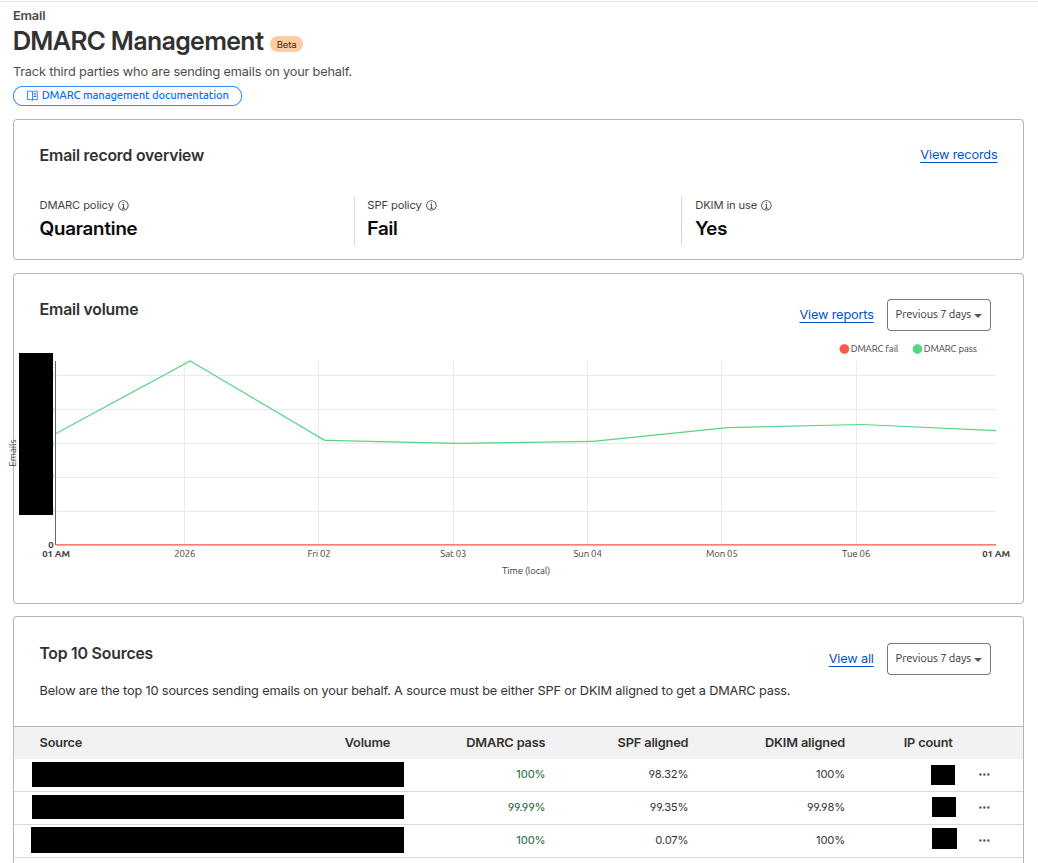
ruaandrufin_dmarc - Can be sent to external email deliverability SaaS (e.g. Cloudflare, MXToolbox, etc…)
- If different domain, receiving domain should advertise that it allows receving reports on behalf

Cloudflare DMARC Management
DMARC alignment
- DMARC relies on SPF and/or DKIM
- But it only considers … those that are aligned
- DMARC uses “Header From”
- SPF uses “MAIL FROM” (that can be equal to “Header From”)
- DKIM uses “Header From”
MAILFROM
- SMTP FROM
- Envelope FROM
- Return-Path
- smtp.from
- mail.from
- smtp.mailfrom
Header FROM
- From
- Reply-To
- header.From
- RFC5322.from
DMARC Alignment Examples
- @example.com - MAIL FROM/Header From aligned - Need valid SPF or DKIM
- @mailgun.example.com - Header From aligned - Need valid DKIM
DMARC Trap
- SPF appears PASS
- But SPF result is ignored by DMARC (alignment)
Subdomains Inheritance? (DNS)
- SPF: No
- DKIM: No
- DMARC: Yes (if not taken)
Subdomains Inheritance? (Header From / Mail FROM)
- DMARC
sp - DMARC
adkimandaspf
DMARC Pitfalls
- Don’t get bitten by SPF lookup limit!
- Multiple rua are not always honored (read the RFC)
- Beware the account takeover (e.g. Mailgun)
- Don’t break syntax of records
- Don’t be too zealous (DMARC) and break emails :/
DMARC Tips
- Verify syntax before applying any DNS change
- Read raw emails
- If needed, use GenAI for interpretation
Setup Gmail
- Add domain to Google Workspace (inbound/outbound)
- Verify domain ownership via TXT record (inbound/outbound)
- Add MX records (inbound)
- Google generates signing keys (outbound)
- Add signing key DKIM to DNS (outbound)
- Allow Google as authorized sender via SPF (outbound)
- User adds alias
BIMI
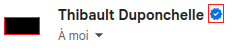
BIMI helps indentifying you and get more trust from receivers.
In particular, it will print a logo and blue check in your header email:
Setup BIMI
- Prepare a SVG logo
- Send to DigiCert (or similar), prove ownership and get VMC (pem file)
- Host logo
- Host VMC cert
- Create record
v=BIMI1;l=.../example-bimi.svg;a=.../example_vmc.pem;
More About BIMI
- Cert renewal yearly (I think not impacted by TLS lifetime reduction)
- Also need DMARC or noop
- Retroactive
BIMI alignment
- BIMI uses header.From
MTA-STS
- Purpose: prevent “Man In The Middle” attack
- Because SMTP is “insecure by default”
Setup MTA-STS
- Enable MTA-STS
- Point mta-sts subdomain to some hosting
- Publish policy file
- Advertise where to send reports
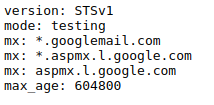
MTA-STS Policy
TXT record to advertise policy file:

Host policy file at mta-sts.example.com:

And the policy file:
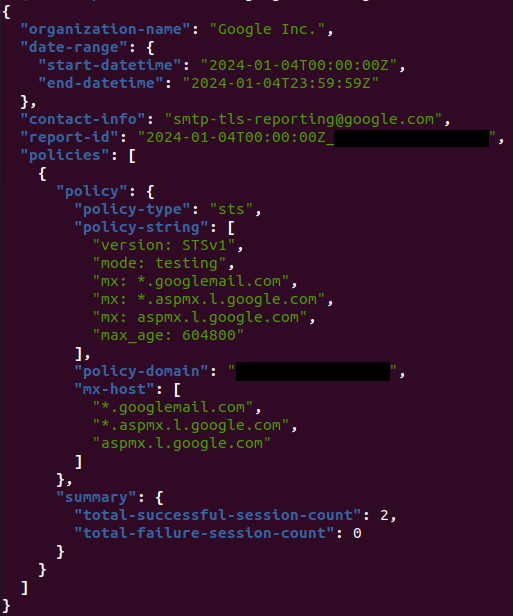
TLS RPT
- Advertise senders where to send MTA-STS reports
Setup TLS RPT
- DNS TXT record
v=TLSRPTv1; rua=mailto:sysadmin@example.com
TLS RPT Example
Received email:
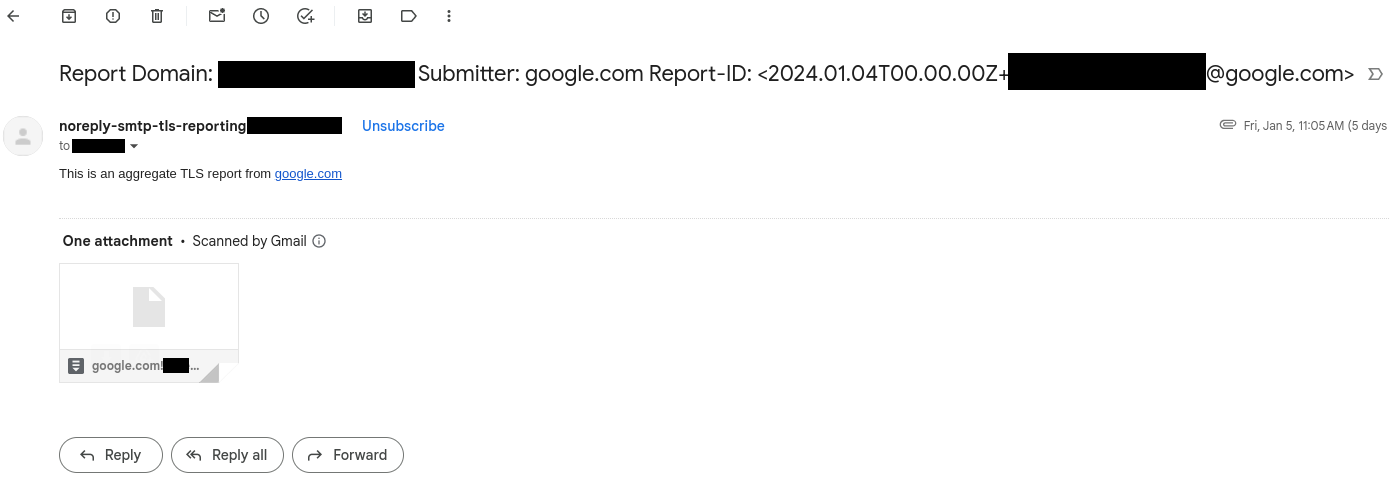
With enclosed report:
Conclusion
It was a bit “too much informations” density post :D
I hope it can help you in securing your inbound/outbound emails as well as improving your reputation and deliverability!