Enabling DNSSEC In Cloudflare
DNSSEC in a nutshell
The DNSSEC technology is meant to protect the resolution of domains, like what SSL/TLS does, but earlier in the journey.
DNSSEC is not yet widely used but it’s good to install for your most critical domains.
You should know a little about how a domain name resolves with different levels of nameserver delegation.
For a .com domain, a name resolution would like like this:
- First asking root nameserver
- Then asking .com nameserver
- Then asking your domain (zone) nameserver (from your DNS Provider)
There’s alo big chance that you hit caching (various levels).
DNSSEC purpose is to protect this top down delegation.
Below I will detail how to setup DNSSEC using Cloudflare as DNS provider.
Enable DNSSEC
Let’s use one of my .com domains. It has DNS provider isolated from registrar:
- Registrar: OVH (I’m using OVH for this post but it’s very similar with other registrars)
- DNS Provider: Cloudflare
This separation is considered good practice, in professionnal context you should really follow it.
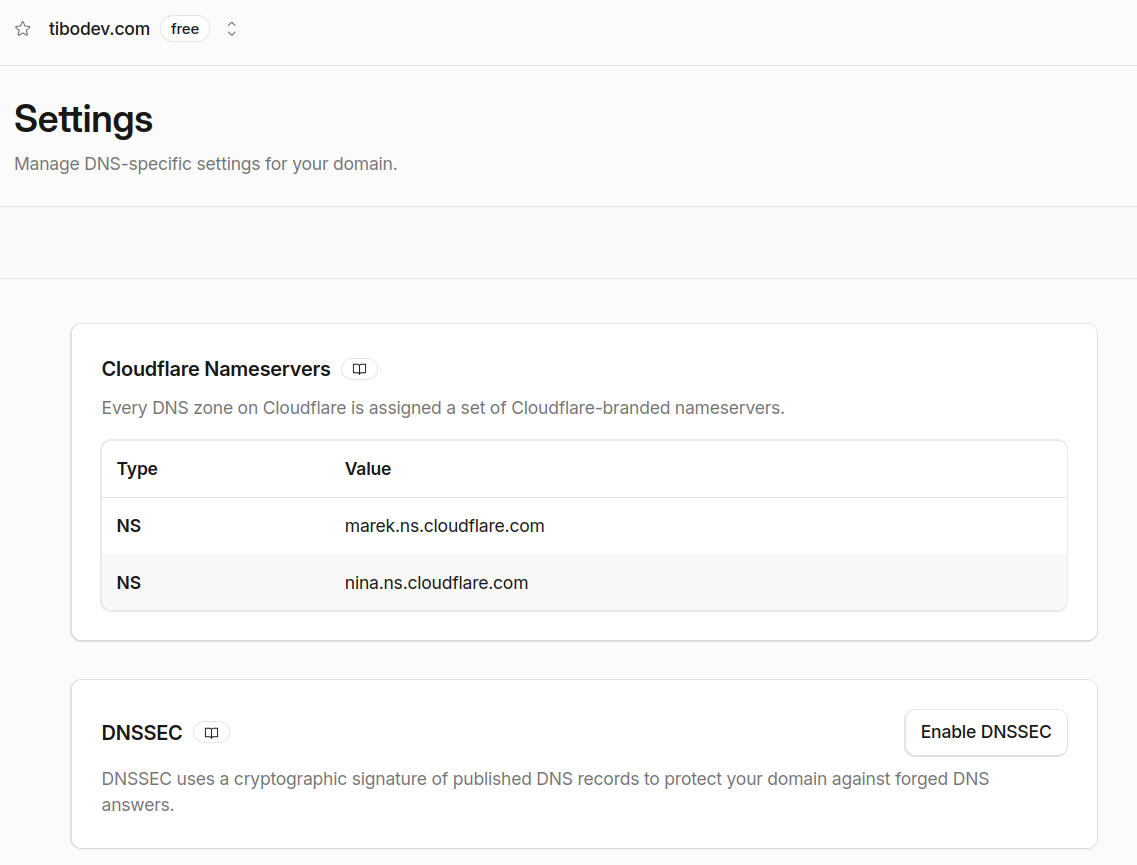
On Cloudflare side, go to DNS > Settings then enable DNSSEC. Don’t worry, this is not risky (verification are going top to bottom and we action on child part).
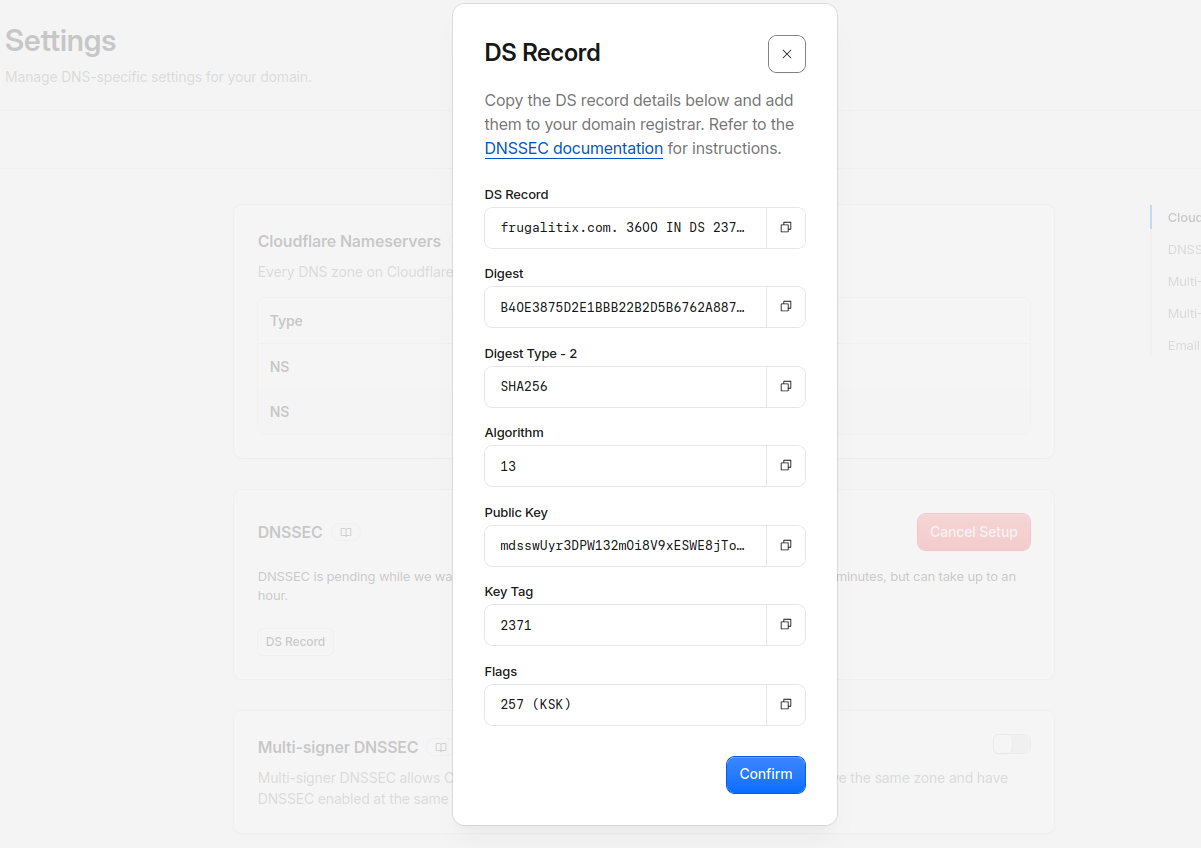
Cloudflare will give you the details of the public key to upload to parent zone:
How to actually pass this to the parent zone (registry)? Via our venerable registrar!
I’m using OVH, but it’s very similar with other registrars.
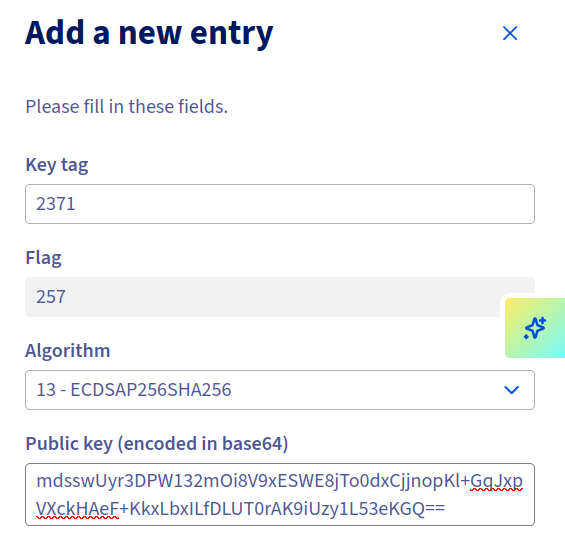
Don’t mess with the parameters (algorithm etc…), it is as much important than the key.
After adding, it appears as enabling…
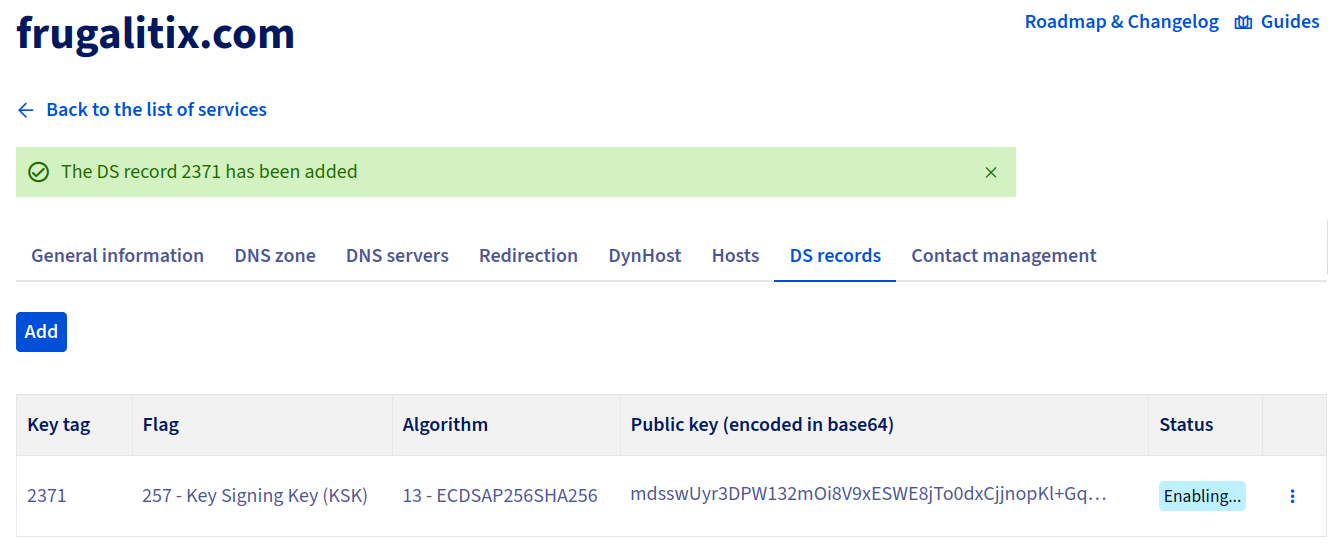
On Cloudflare side, it should be still in “pending”.
After a few minutes, it moves to active in registrar:

You can now verify with:
$ dig ds frugalitix.com @1.1.1.1

;; ANSWER SECTION:
frugalitix.com.		86400	IN	DS	2371 13 2 B40E3875D2E1BBB22B2D5B6762A887C1849F038CD72C50628552BC8A 0D7EFBDC
(@1.1.1.1 is important to skip caching)
After a while, the setup completes.
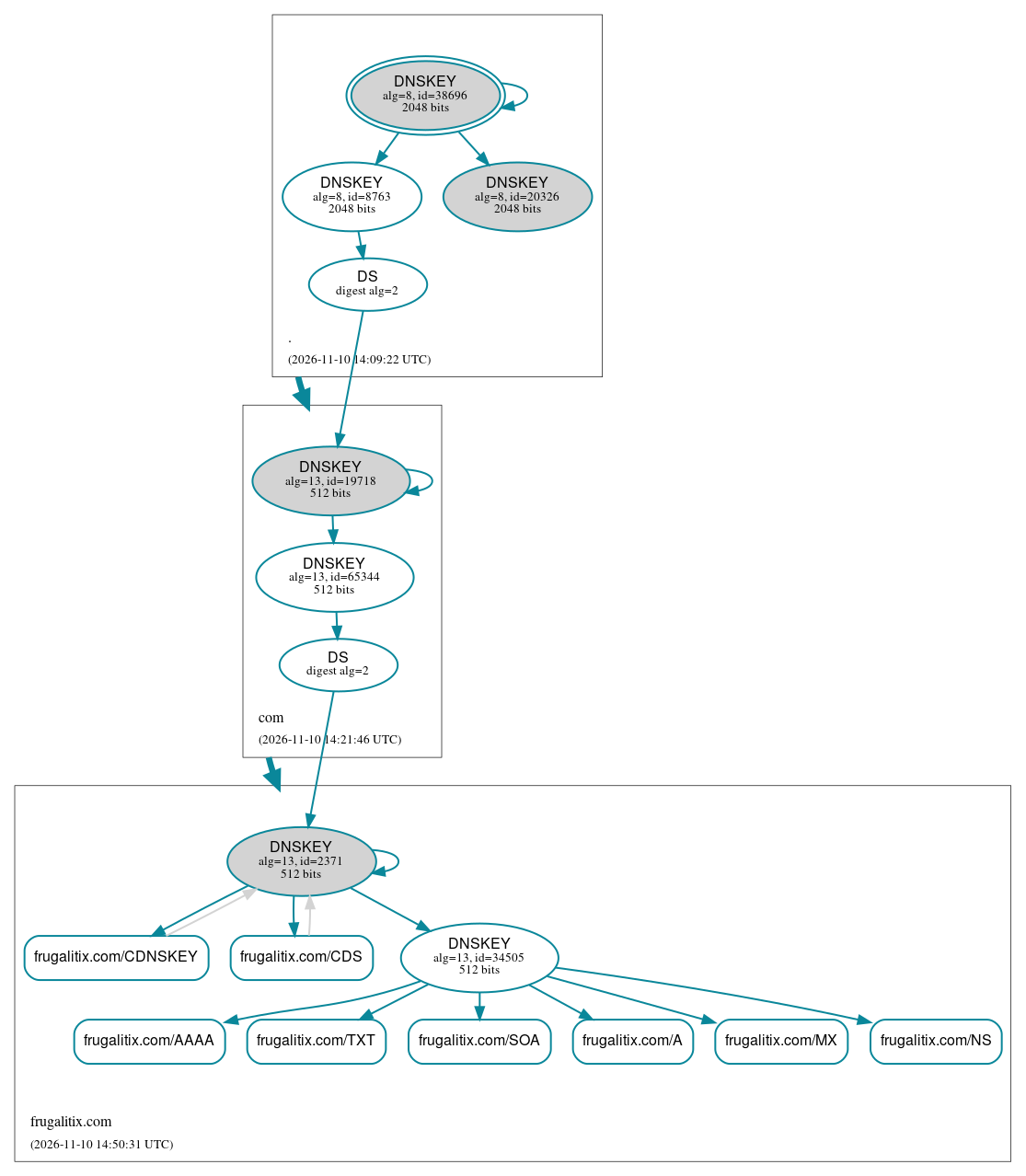
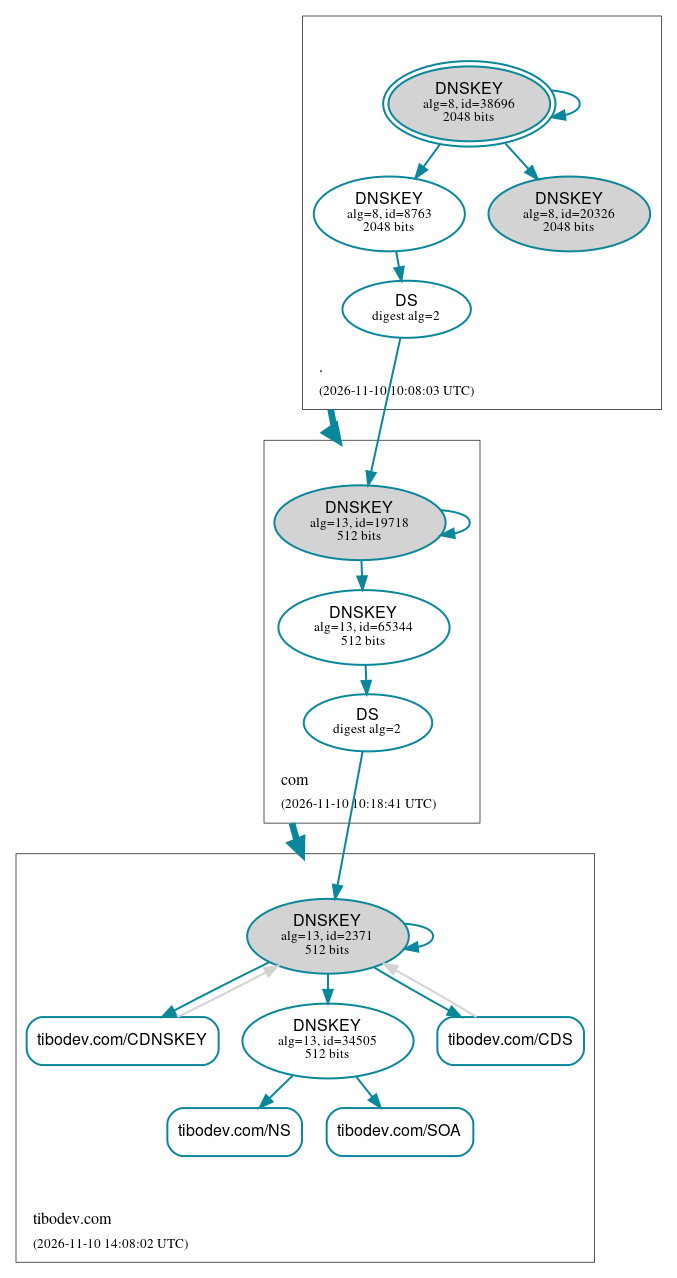
I recommend to use dnsviz in order to visualize the DNSSEC state of your domains.
DNS Provider and Registrar are the same
It’s possible that you have both Cloudflare as DNS Provider and Registrar. In this case, it’s even simpler to enable DNSSEC!
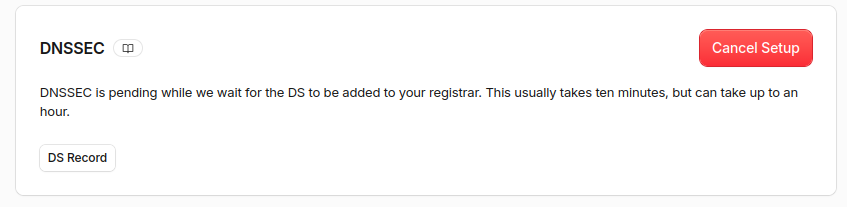
Once you activate DNSSEC in settings, it goes into pending:

Just the time for Cloudflare to pass the DS key to the registry.
Cloudflare doesn’t even share the DS Key with you, since you don’t need to action anything yourself.
After a few minutes, you end up with DNSSEC well activated.
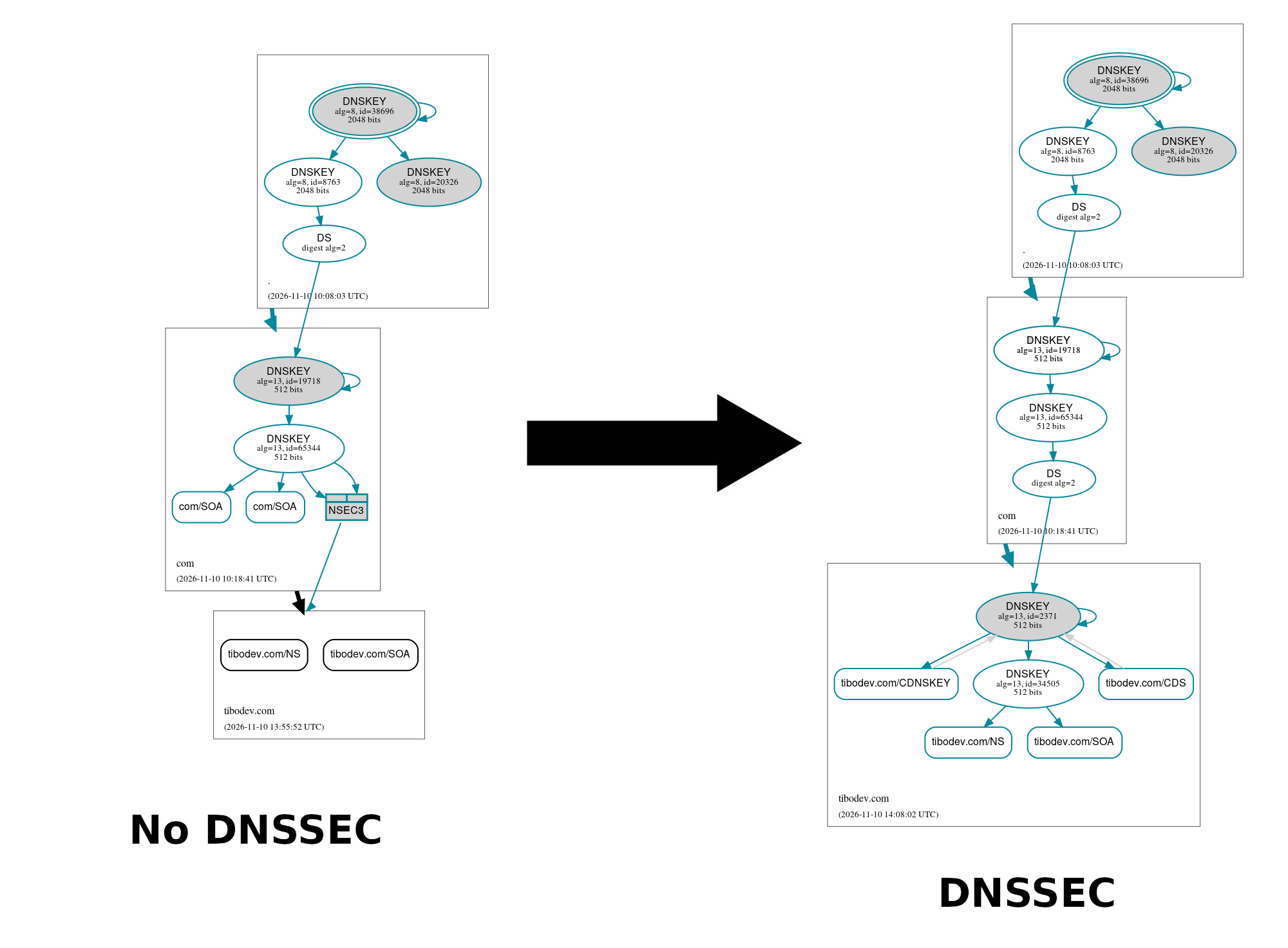
Schema
Look at difference between no DNSSEC on the left and DNSSEC configured on the right (DS Key validating DNSKEY).
Important is link between 2 bottom boxes:
RRSET? RRSIG? CDS? CDNSKEY? NSEC? NSEC3?
There’s more than DS and DNSKEY involved in DNSSEC, but others are less important.
RRSETandRRSIG: Those are signatures of your recordsCDSandCDNSKEY: Disregard those that are for handling Registry <-> DNS provider key rotationNSECandNSEC3: They mark for explicit non existence of DNSSEC
You can live without further knowledge on those things.
Notes on criticality
DNSSEC setup comes with risks. Some major incidents involved DNSSEC misconfiguration (e.g. .de in March 2026).
Recommendations:
- Better that DNSSEC is disabled in case of migrating a domain to a new registrar.
- Disabled DNSSEC in case of migrating a domain to a new DNS Provider.
(Few other cases can be problematic)
Notes on DNSSEC adoption
DNSSEC is not currently widely used. Only about 10% of domains use that.
DNSSEC adoption depends on registry supporting it (not all TLDs are supporting it).
DNSSEC adoption also depends on registrar supporting it (because they are the one passing the DS key to registry).
DNSSEC adoption also depends on client resolvers to use DNSSEC or not: it’s very likely that you don’t or only partially use DNSSEC sec in your resolution queries.
Conclusion
Have fun with your DNS Secured domain name!